
How to Save Recipes from TikTok
The most reliable way to save recipes from TikTok is to turn each video into a written recipe the moment you see it — not to bookmark it. Share the video from TikTok's share sheet into a recipe keeper app like Cookit, and you get a recipe card with ingredients, steps, and times that stays findable long after the video disappears from your feed.
Why TikTok favorites are where recipes go to die
Everyone has done it: you see a 30-second pasta video, tap the bookmark, and think "I'll make that this week." Three weeks later your favorites folder holds ninety videos, none of them labeled, and finding that pasta means scrubbing through clips one by one. Even when you find it, you still have to pause, rewind, and squint at the caption to figure out how much garlic goes in.
Bookmarks also break. Creators delete or privatize videos, accounts disappear, and captions get edited. If the recipe only exists inside TikTok, you don't really have it.
Ways people try to save TikTok recipes (and where they fall short)
- Favorites and collections. Fast, but you're saving a video, not a recipe. Nothing is searchable, and you still cook from a paused screen.
- Screenshotting the caption. Works only when the creator wrote the full recipe out — many don't — and the screenshot then vanishes into your camera roll.
- Typing it into Notes. Accurate but slow. Most people give up after the third video.
- Commenting "recipe please". You're now waiting on a stranger.
What you actually want is the step in the middle done for you: watching the video and writing the recipe down.
The fastest way: share the video to Cookit on iPhone
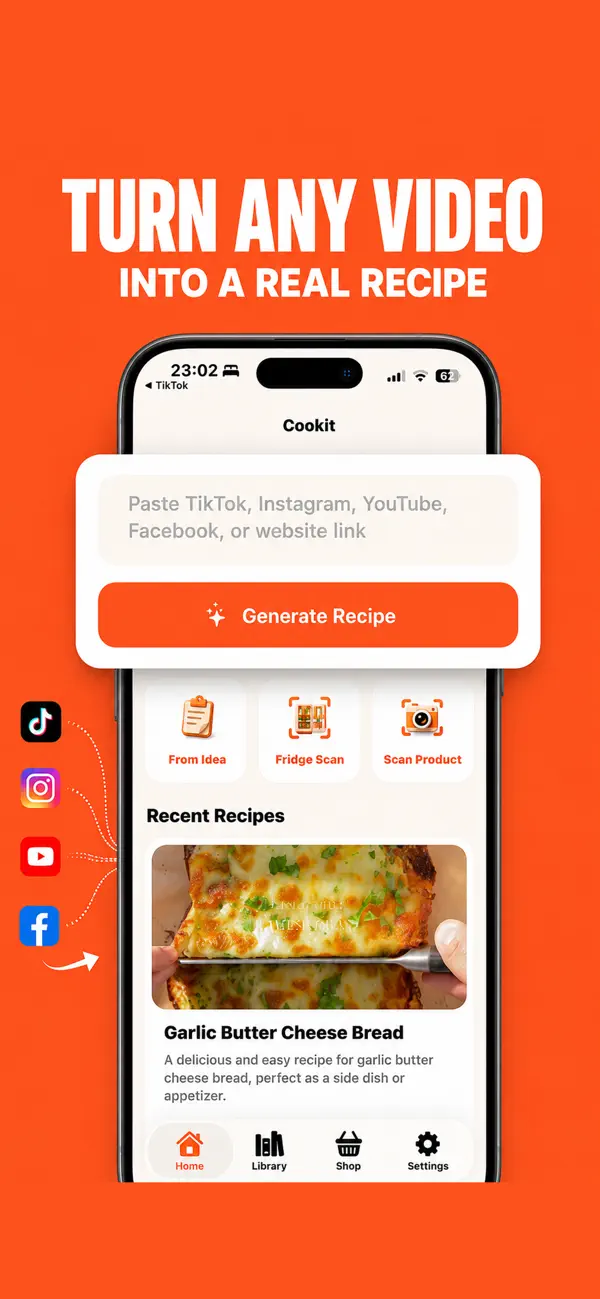
Cookit is a recipe keeper for iPhone with a share extension, so saving a TikTok recipe takes the same number of taps as bookmarking it:
- In TikTok, tap the Share arrow on the cooking video.
- Choose Cookit in the share sheet (or copy the link and paste it into Cookit).
- Cookit analyzes the video and its caption and builds a written recipe card.
- Review the card, tweak anything you like, and save it to your library.
What the recipe card includes
Every saved TikTok recipe becomes a full recipe card, not a link: an ingredient list with quantities, numbered step-by-step instructions, prep and cook times, servings, difficulty, storage tips, substitutions, and estimated nutrition. You can edit ingredients, steps, servings, and notes afterward, mark it as a favorite, and later add it to a shopping list along with the rest of the week's meals.
From saved video to cooked dinner
Saving is only useful if it changes what happens at dinnertime, and this is where a written card beats a bookmark decisively. Once a TikTok recipe lives in your Cookit library, it's searchable by name — "that gochujang pasta" takes two seconds to find, not two minutes of scrolling thumbnails. You can read the full ingredient list before committing, which is how you discover the "easy" recipe needs a blowtorch before you've started cooking.
The saved recipes also work together. Pick three TikTok finds for the week and Cookit combines their ingredients into one shopping list. While you cook, AI Chef answers questions hands-free — useful for social-video recipes, which are famously light on detail ("cook until done" is not a step). And after you've made a recipe once, edit the card to match reality: bump the garlic, halve the sugar, note that it needed ten more minutes. The next cook starts from your version, not the creator's.
Compare that with the favorites folder, where each rewatch starts the deciphering from zero, and the case for converting videos into cards makes itself.

Honest notes before you start
AI extraction is very good, but it works from what the video and caption actually show — if a creator never states a quantity, Cookit makes a sensible estimate that you should skim before cooking, and nutrition figures are estimates rather than lab measurements. Cookit is free to download with a limited number of imports; unlimited recipe imports, AI recipe cleanup, and AI Chef help are part of the Cookit Pro subscription.