The Best Way to Organize All Your Recipes in One Place
The best way to organize recipes is to stop sorting formats and start converting them: every link, screenshot, note, and family recipe gets turned into the same kind of structured recipe card and saved in one library. A recipe organizer app like Cookit does the conversion automatically, so the system maintains itself.
Why your recipes are scattered in the first place
A modern home cook's recipes live in at least five places: TikTok and Instagram saves, browser bookmarks, screenshots in the camera roll, half-typed notes ("mom's dumplings — don't overwork the dough"), and a folder of actual paper cards. Each place made sense at the moment of saving. Together they guarantee that on Wednesday at 6pm you can't find anything, so you order takeout and the collection keeps growing unused.
Rules that make a recipe system stick
- One home. A single library beats a clever multi-app system every time. If saving requires a decision about where something goes, you'll stop saving.
- Same format for everything. A video and a handwritten card should end up as the same thing: ingredients, steps, times, servings.
- Capture must be instant. The share sheet or a photo — never retyping.
- Searchable and editable. You should find any recipe by name in seconds, and be able to fix quantities or add notes after cooking it.
The fastest way: build your library in Cookit on iPhone
Cookit applies those rules for you. Setting up takes an evening:
- Send new finds to Cookit as you meet them — share TikTok and Instagram links from the share sheet, paste captions or notes, import screenshots.
- Backfill the archive: scan the recipe screenshots in your camera roll and photograph the family recipe cards and cookbook pages you actually use.
- Let Cookit convert each one into a structured card with ingredients, steps, prep and cook times, servings, storage tips, and estimated nutrition.
- Mark the keepers as favorites, and let recent activity surface what you've been cooking lately.
- Edit freely: adjust ingredients, rewrite steps, change servings, and add your own notes after each cook.
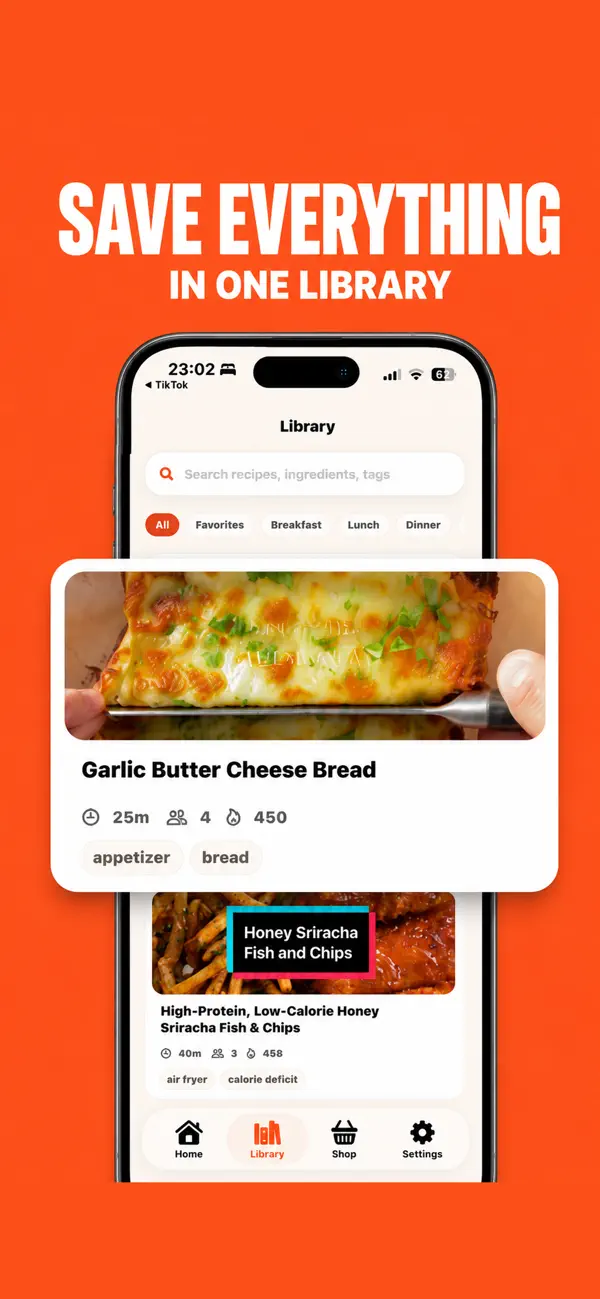
Because every card has the same structure, the library does more than store recipes: pick a few for the week and Cookit builds a combined shopping list, and AI Chef can answer questions about any recipe while you cook it.
Do you still need folders and categories?
Less than you'd think. Elaborate folder taxonomies ("Weeknight / Asian / Chicken / Under 30 min") are where organizing projects go to stall — every save becomes a filing decision, and every filing decision is a chance to quit. Two lightweight signals cover most real kitchens: favorites for the recipes you'd happily repeat, and recent activity for what you've saved or cooked lately. Search handles the rest, because searching "lentil" beats remembering which folder you filed lentil soup under.
The other habit worth keeping is post-cook editing. A recipe library isn't a museum; it's a working document. When the dumplings needed an extra egg or the bake ran fifteen minutes long, put it in the card. Over a year, your library quietly becomes the most accurate cookbook you own — every recipe pre-tested by you, for your stove, your pans, and your people. No paper cookbook or bookmark folder can make that claim.

What to know before you commit
Imported cards inherit the quality of their sources — a vague video produces a card worth skimming before its first cook, and nutrition values are estimates. Cookit is free to download and start organizing; unlimited imports, photo and product scans, and AI Chef help come with the Cookit Pro subscription.
The measure of success is simple: the next time someone asks for "that soup you made in the winter," you find it in five seconds, with your own notes on it. That's what organized actually means — not tidy folders, but recipes that answer when called.