
How to Measure an Object's Dimensions with Your iPhone
Your iPhone can measure object dimensions two ways: Apple's built-in Measure app traces individual edges using augmented reality, and AI apps like Scale AI estimate length, width, and height from a single photo. Both give approximations — good enough for shipping boxes and furniture checks, not for carpentry.
The classic reasons you need dimensions right now: a marketplace listing asks for parcel size, you're wondering whether a bookshelf fits that wall nook, or a checked-bag size limit is looming and the tape measure is wherever tape measures go. Before you start measuring with a phone-charger cable and guilt, here are your real options.
Everyday tape-measure alternatives
- Letter/A4 paper: a US letter sheet is 21.6 × 27.9 cm (8.5 × 11 in); A4 is 21 × 29.7 cm. Walk it along the object and count.
- Credit or debit card: 8.56 cm wide — a pocket ruler you always carry.
- US dollar bill: 15.6 cm long; most euro notes are within a few millimeters of round numbers too.
- Your own hand span: measure it once against a ruler and you'll have a personal unit for life. Most adult spans are 18–23 cm.
- Standard floor tiles: commonly 30 × 30 cm — useful for furniture and room-scale estimates.
What Apple's Measure app does well — and where it struggles
The Measure app that ships with iOS uses ARKit to overlay a virtual tape measure on the camera view. It's genuinely good at single straight edges on well-lit, high-contrast surfaces, and on Pro models with LiDAR it's noticeably more stable. Its weak spots: you have to trace each edge separately (length, then width, then height), it drifts on shiny, dark, or textureless objects, it needs you to be physically next to the object, and small items under a few centimeters are fiddly. Apple itself pitches the result as an approximation.
One photo, three dimensions: Scale AI's Measure Object mode
When you want all three dimensions at once — or you only have a photo of the object — Scale AI takes a different approach: AI visual estimation instead of AR tracing. Here's how to measure an object with it:
- Open Scale AI, tap the mode selector, and choose Measure Object.
- Frame the whole object, ideally at a slight angle so more than one face is visible.
- Include a familiar reference in the shot — a coin, a card, a soda can — so the AI can anchor the scale.
- Tap Capture or import a photo from your gallery.
- Read the estimated length, width, and height, plus a confidence level and notes about what the AI assumed.
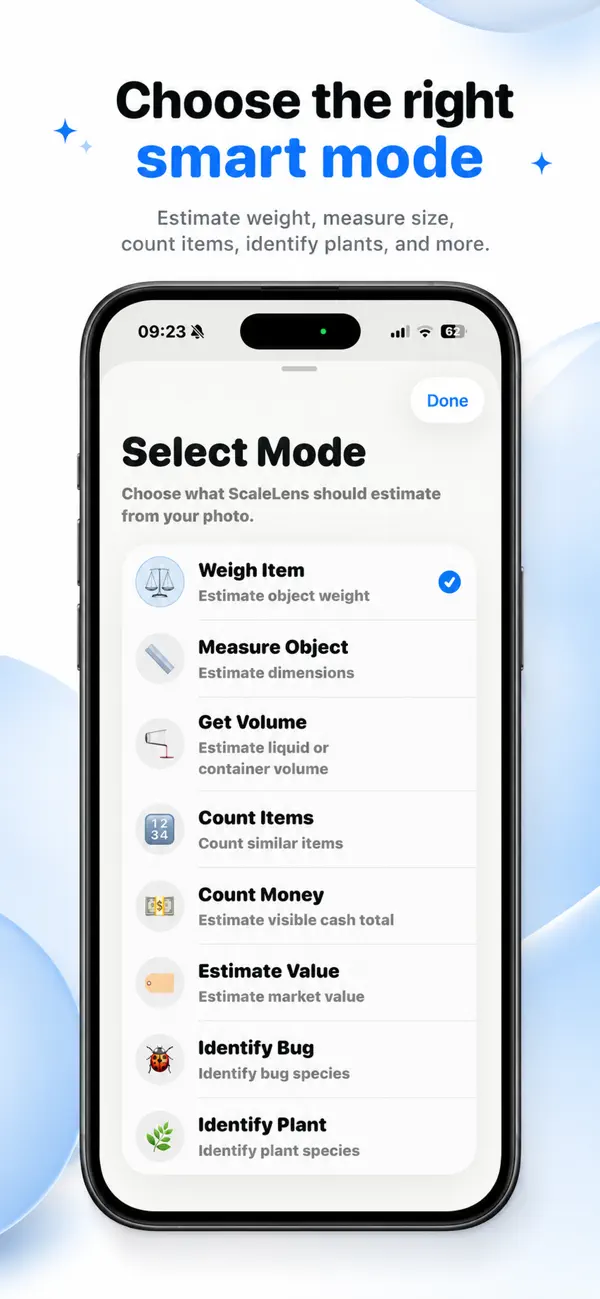
Because it works from any photo, this also handles cases AR can't: the couch you photographed at a garage sale, a parcel a buyer sent you a picture of, or an object that's already been shipped. Results come in centimeters or inches depending on your unit setting, and each scan lands in your local history for later reference.
When to insist on a real tape measure
Cutting shelves, ordering custom blinds, checking legal size limits for luggage or freight — anything where a centimeter matters — deserves a physical measurement. Scale AI's dimensions are AI estimates with a stated confidence level, not certified measurements, and the app tells you so on every result. Use it to get in the right ballpark fast, then verify when precision counts.
