How to Estimate Liquid Volume Without a Measuring Cup
To estimate liquid volume without a measuring cup, compare against containers you already know — a soda can holds 355 ml, a wine bottle 750 ml, a standard mug about 240–350 ml — or photograph the liquid or container with Scale AI's Get Volume mode for an AI estimate in milliliters or fluid ounces.
Volume questions rarely arrive at convenient moments. You're halfway through a recipe and need "about 500 ml of stock," you're mixing plant fertilizer or paint thinner at a ratio, or you're wondering whether the leftover soup actually fits in that container before you pour. Here's how to get a usable number without the right tools.
Household containers with known volumes
Kitchens are full of calibrated vessels pretending to be trash and tableware:
- Standard soda can: 355 ml (12 fl oz); the slim ones are usually 250 ml.
- Wine bottle: 750 ml; a beer bottle typically 330–355 ml.
- Milk jug / carton: 1 liter or half gallon (1.89 L) — the label says exactly.
- Coffee mug: most hold 240–350 ml when comfortably full.
- Shot glass: 44 ml in the US, 25 or 50 ml in much of Europe.
- Tablespoon / teaspoon: 15 ml and 5 ml — small, but they add up accurately.
Pouring your mystery liquid through a known container is the classic move: fill the soda can twice and you've measured roughly 700 ml. A kitchen scale works too, if you have one — water-based liquids weigh almost exactly 1 g per milliliter, so 500 g of stock is 500 ml.
Container math for rectangular and cylindrical vessels
If you can measure the container, you can compute the volume. For a rectangular container: length × width × liquid height in centimeters gives milliliters directly (1 cm³ = 1 ml). For a cylinder like a pot or jar: radius² × 3.14 × height. A pot 20 cm across filled to 10 cm holds about 3.1 liters. It's two minutes of math that beats squinting at a curved glass.
The one-photo way: Scale AI's Get Volume mode
When you don't want to pour, weigh, or do geometry, Scale AI estimates liquid or container volume from a single photo:
- Open Scale AI, tap the mode selector, and choose Get Volume.
- Frame the container so the liquid level is clearly visible — glass and translucent containers work best.
- Add a reference object beside it (a coin or a can) so the AI can judge the container's true size.
- Tap Capture, or import a photo you already took.
- Read the volume estimate in milliliters or fluid ounces, along with a confidence level and the assumptions the AI made about the container.
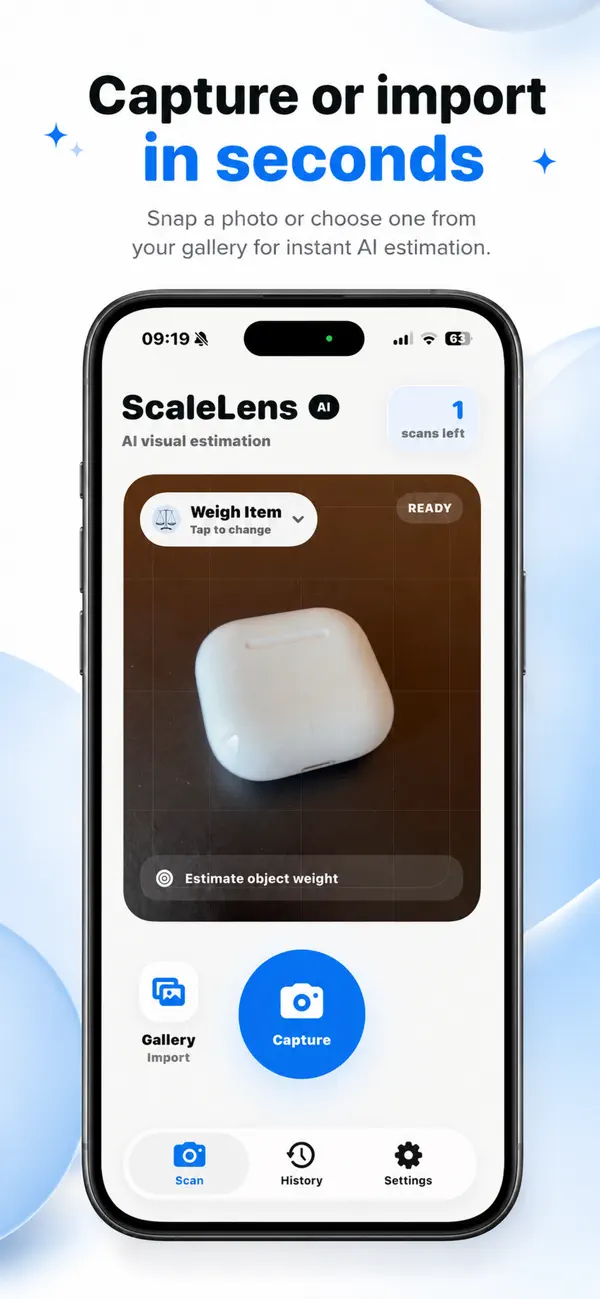
It handles the awkward cases well: partially filled bottles, odd-shaped vases, buckets, and "how much water does this aquarium actually hold?" Every result is saved locally, and you can flip between metric and imperial units in settings.
Estimates, not lab measurements
All of these techniques land you within cooking tolerance — typically 10–20% — which is fine for soups, watering plants, and storage decisions. Scale AI's volume figures are AI estimates with a stated confidence level, not certified measurements: don't use them for medicine dosing, chemical mixing where ratios are safety-critical, or anything regulated. When precision matters, use a proper measuring cup or graduated cylinder.
