
How to Count Items in a Photo Automatically
The fastest way to count items in a photo is to let AI do it: Scale AI's Count Items mode on iPhone counts similar objects in a busy image — screws, bottles, beads, boxes — and reports the total with a confidence level. For manual counting, a grid overlay and count-by-groups technique still work well.
Counting sounds trivial until the numbers climb. Stocktaking a shelf of products, checking whether all 96 craft beads came back from the floor, confirming a hardware order of 200 screws, counting plants in seed trays, tallying a coin or card collection — past about thirty items, human counts get slow and surprisingly unreliable. There are two honest fixes: structure your manual count, or hand it to a camera.
Manual counting that doesn't fall apart
- Count in groups of five or ten. Physically move counted items into small piles. Errors then cost you one pile, not the whole count.
- Use a grid. For a photo on a screen, mentally (or actually) divide it into quarters and count each quadrant separately, writing down subtotals.
- Count rows × columns. Anything arranged in a lattice — bottles in a crate, eggs in trays, tiles — is multiplication, not counting.
- Weigh instead of counting. If you know one screw weighs 4 g, then 812 g of screws is about 203 screws. A scale becomes a counter.
These work, but they need setup, good lighting, and patience — and they fail exactly when you need them most: irregular piles of similar-looking objects.
Let the camera count: Scale AI's Count Items mode
Scale AI includes a dedicated photo counting mode that finds and tallies similar items in one image:
- Open Scale AI, tap the mode selector, and choose Count Items.
- Spread the items out so they overlap as little as possible — a single layer on a contrasting surface is ideal.
- Frame the whole set. If it can't fit in one shot, split it into batches and count each batch.
- Tap Capture, or import an existing photo from your gallery.
- Read the count, the confidence level, and the notes on what the AI treated as one "item."
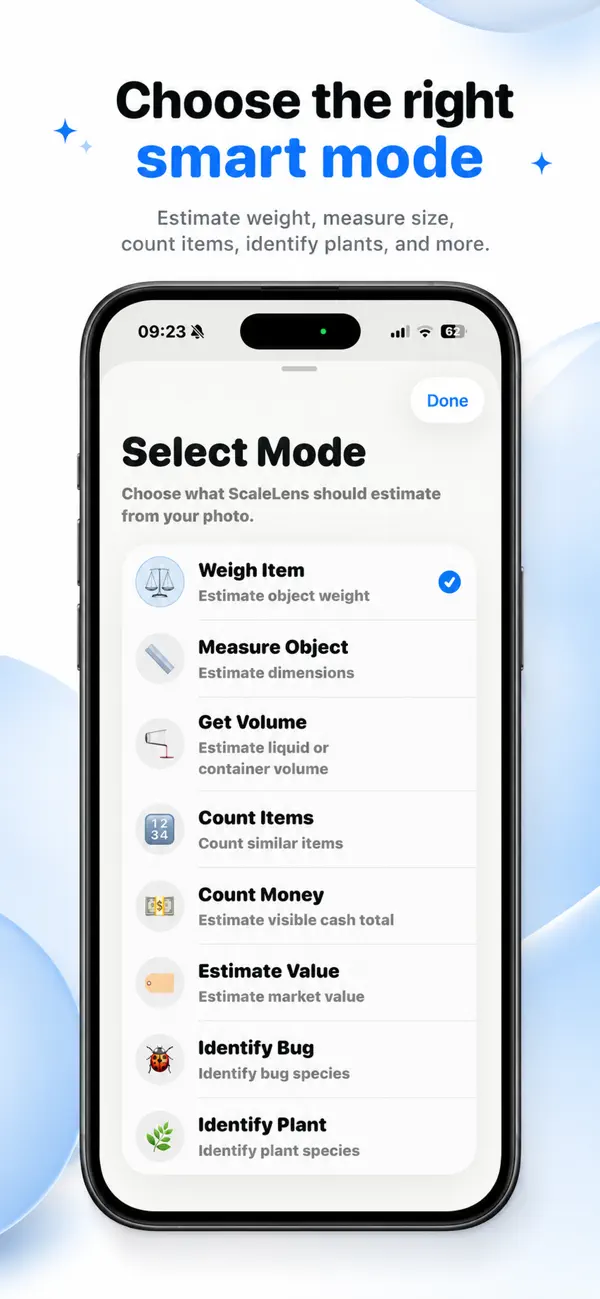
Because every scan is saved to local history, batch counts are easy to add up afterward, and repeat jobs — weekly stock checks, craft kit packing — build a record you can compare over time. No account is needed, and photos are only sent for analysis when you actually start a scan.
Where photo counting reaches its limits
AI counts what it can see. Items stacked on top of each other, buried in a pile, or cut off at the photo's edge won't be counted, and near-identical clutter (mixed screw sizes, for instance) can blur what counts as "one item." Scale AI flags its uncertainty with a confidence level on every result, but the numbers remain estimates — for inventory that feeds accounting, audits, or anything contractual, verify with a physical count.
